2026-05-24 · Blog
Why the data about your development is everywhere and helps with nothing
Details
CRM, spreadsheet, agency report, Drive, email — the data exists. But for every decision somebody has to assemble it by hand from five places. Here's how to build one picture without replacing the tools you already have.

Your development data lives in five places
— and why nobody uses it
The problem isn't a lack of data. It's that each tool knows something separately, and for a decision somebody has to assemble reality by hand from five places. That somebody is usually the person who ought to be selling or setting strategy.
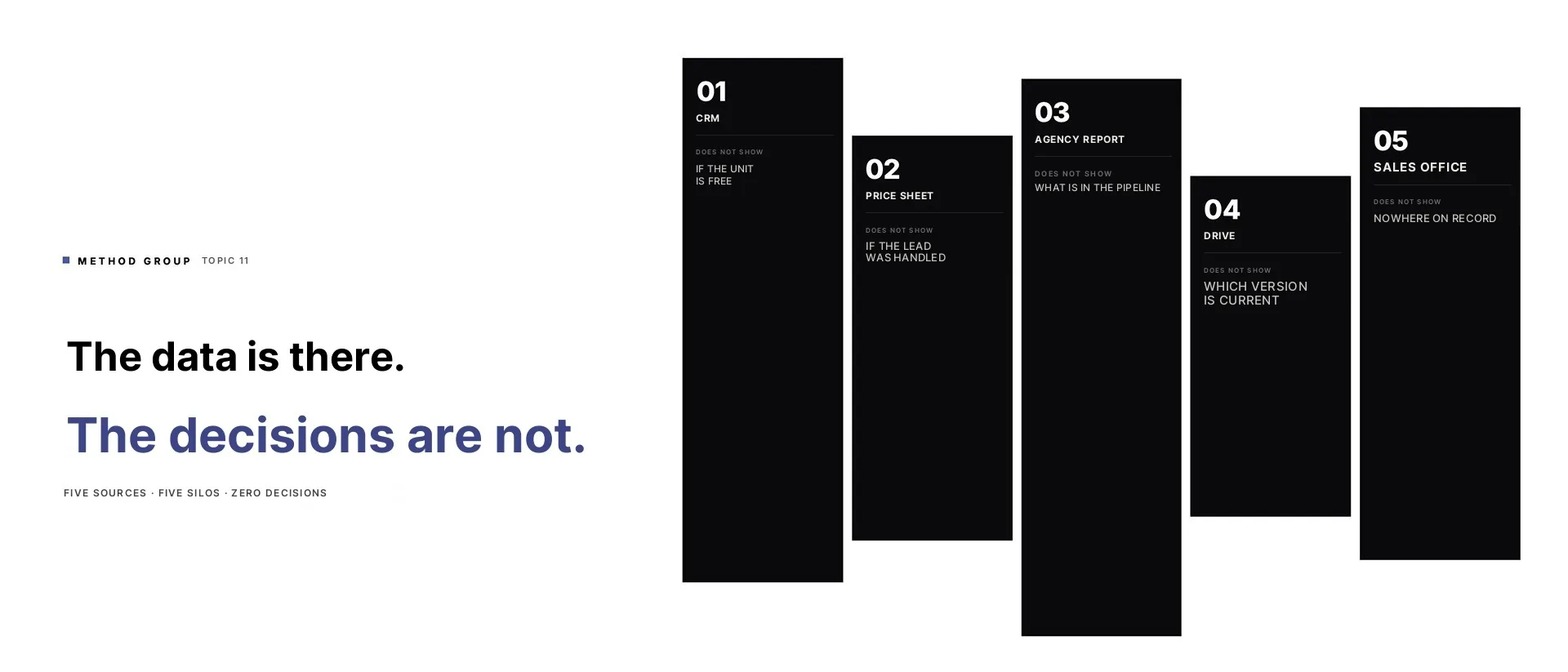
You're running several developments at once. You have a CRM, a price spreadsheet, an agency report, a folder of material, emails from the sales office and probably a few messages on chat as well.
On paper it looks fine. The data exists. Every department has its place. Anyone can check something.
The problem starts when a decision has to be made. Is the campaign genuinely bringing worthwhile leads? Is the unit the buyer is asking about still available? Does the price on the website match the spreadsheet? Is the sales office working from current material? Is the board looking at the same status as marketing?
The data is there. The picture isn't.
Usually it isn't that the company has no data about the development. It has far too much.
Every source knows something. None of them shows the whole situation.
And here begins the work nobody counts. Before a meeting someone has to gather statuses, tidy tables, cross-check leads against reservations and confirm whether the current PDF really is current. On top comes context from conversations that usually isn't in any report.
After a few rounds of that, the team starts working around the tools. Nobody wants to risk a decision on data that may be incomplete or late. So the simplest shortcut appears: ask the person who knows. And if that person knows everything, the company quickly learns to depend on their memory.
Where Method comes into this
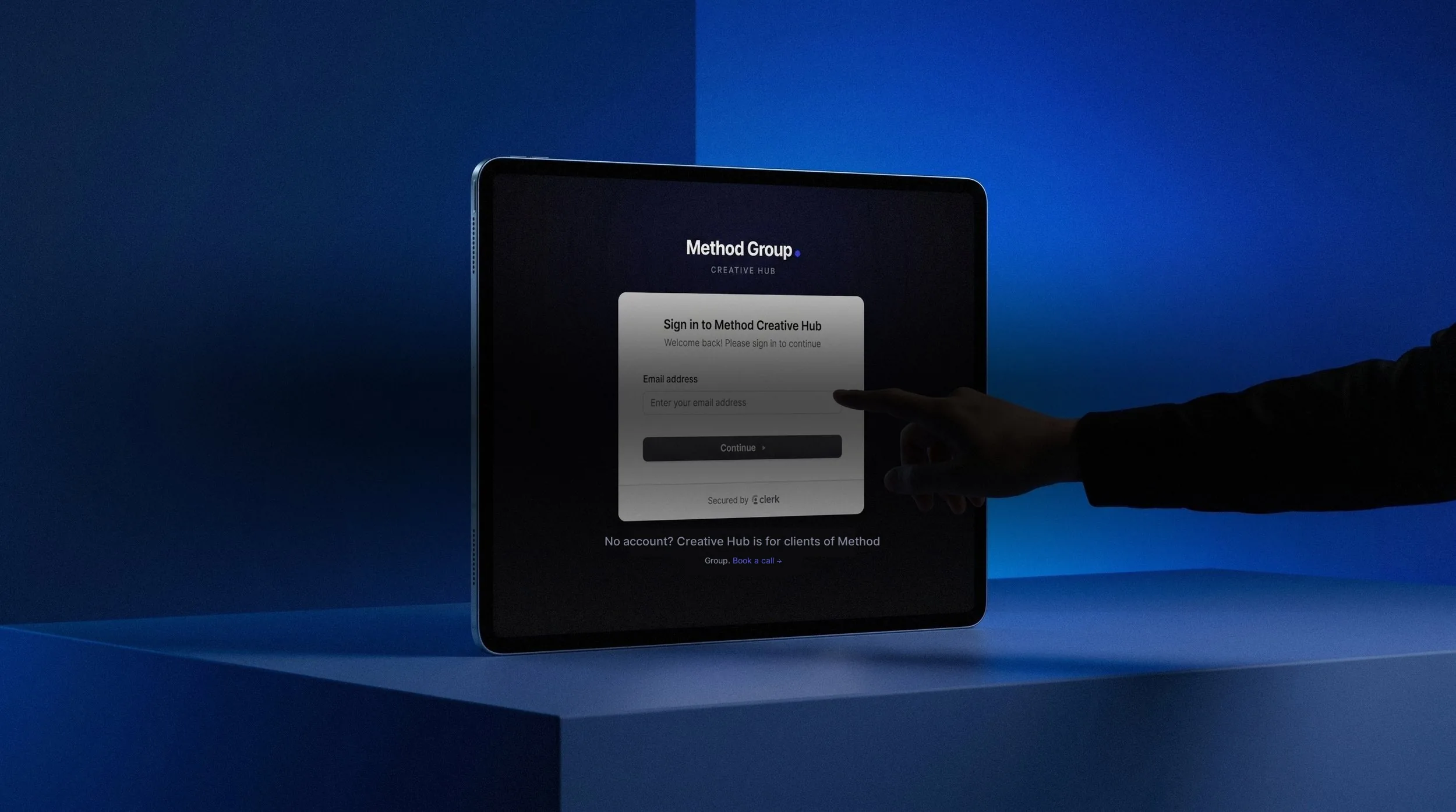
Your projects in one place
See how it works: Method Creative Hub
At Method, Control Room isn't meant to pretend it replaces a client's whole stack. A mature company already has a CRM, spreadsheets, Drive, reports and sometimes a developer sales system. A new layer doesn't mean throwing out everything that already works.
Control Room is there to bring the most important information together at the point of decision. Marketing, sales and the board should see the same picture: what's available, what has changed, what the campaign is delivering, what sales is missing and where a decision is needed.
This isn't another report for the sake of a report. A good Control Room answers the questions that come back every week: is the website listing current, which units are sitting still despite traffic, are campaign leads being handled, does the sales material match the conversations, and what needs fixing before next week's selling. If the panel doesn't help with those decisions, it will just be another place to check.
An example: four developments and 65 apartments
At Local Investments the problem was easy to name. The developer had four schemes and around 65 apartments. The units were in Excel, enquiries landed in an inbox, and updates had to be policed by hand.
With one development you can still hold it in your head. With several you start paying for every small inconsistency. A buyer asks about an apartment, so the unit's status, the listing on the website, the information for sales and the picture of enquiries for the board should all show the same situation.
This doesn't need a large platform. It needs one place that shows the current state and doesn't have to be assembled by hand every time.
In a single day we built a system for units and enquiries plus a form that captured leads itself. The result: no enquiries lost and a listing on the website that is always current.
That's the moment data stops being administration and starts working.
Why it hurts sales
Salesforce's State of Sales 2026 shows that sales staff spend 40% of the week selling and 60% on everything else — including manual data entry, planning and prospecting. It's a global report, so I wouldn't map it one-to-one onto developers. But the mechanism is familiar: the more manual tidying of information, the less room for the conversation with the buyer.
Autodesk and FMI surveyed over 3,900 people in construction. In their report “bad data” means data that is inaccurate, incomplete, inaccessible, inconsistent or out of date. Such data accounted for 14% of rework in 2020. Autodesk and Deloitte went further: in 2023 they showed that four in five construction firms have room to improve how they work with data. So the problem isn't a niche one.
The problem isn't an ugly table. The problem is a decision taken on an incomplete picture. At a developer that decision may concern price, the campaign, unit availability, a priority for sales, or the material a buyer gets after a conversation. If that information is scattered, the team starts improvising.
When five tools aren't a problem
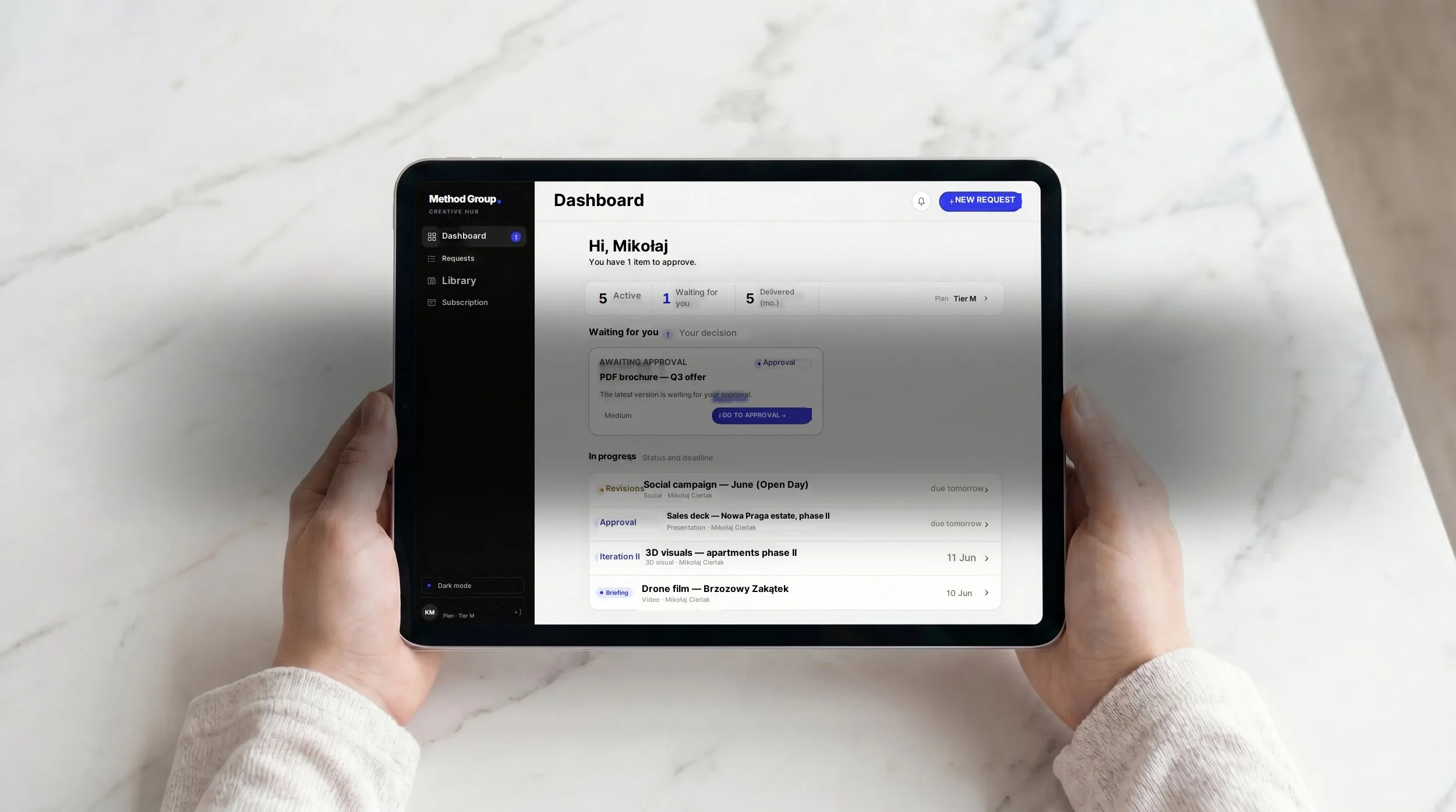
24/7 access for you and your team
See how it works: Method Creative Hub
To be fair: some companies don't need this layer.
If you're running one development with a small team and see the whole picture daily, assembling a status by hand takes a few minutes. An extra panel would just be one more thing to maintain.
The cost grows with the number of developments and the number of people who have to work on the same data. At three to six developments, stitching the truth together stops being “a few minutes” and becomes a permanent job for the owner or a director. That's exactly where a decision layer pays off.
How to check this in your own company
Don't start with a list of tools. Start with one decision that keeps coming back in meetings. For example: does this development need a change of campaign?
That one decision needs several pieces of information: lead volume, lead quality, reservation status, units that are sitting still, sales feedback and current material. Now note against each one where it lives today.
If two minutes later you have the CRM, a spreadsheet, an agency report, Drive and a chat window open in front of you, the problem is already visible. Before you can decide, you have to reassemble the company.
That's a good starting point for Control Room. You don't build it from “what can we integrate?” You build it from: what decision do we want to make without asking five people for a status?
Data about a development is only worth something once it helps you decide

A dedicated team from day one
See how it works: Method Creative Hub
If the CRM, the price spreadsheet, the agency report, the mailing and the folder of material all live separately, the company will stitch the truth together by hand. Usually the person who ought to be selling, setting strategy or making decisions. Which is why a founder shouldn't be their own company's human API. The company needs one picture that marketing, sales and the board can all trust.
If you had to make one decision about a development today, how many places would you gather the data from first?
See how Control Room pulls development data into one picture without replacing your stack. Book a free audit — we'll take one decision that keeps coming back and count how many places you currently assemble it from.
Because each tool knows something separately and none of them shows the whole situation.
The CRM knows the leads and the stages, but not whether a unit is available. The price spreadsheet knows unit statuses, but not whether a campaign lead was handled. The agency report shows campaign results, but not what's happening on the sales side. Drive holds presentations and unit sheets, but doesn't say which version is current. The sales office holds knowledge from conversations with buyers, but has recorded it nowhere.
For every decision, somebody has to assemble reality by hand from five places. Usually the person who ought to be selling or setting strategy. It's a very quiet cost of data chaos. It doesn't look like a failure. It looks like an ordinary Tuesday.
Don't start by choosing a tool. Start with one decision that keeps coming back in meetings. For example: does this development need a change of campaign?
That decision needs several pieces of information — lead volume, lead quality, reservation status, units sitting still, sales feedback and current material. Now note against each one where it lives today.
If two minutes later you have the CRM, a spreadsheet, an agency report, Drive and a chat window in front of you, the problem is already visible. Control Room is built not from “what can we integrate” but from “what decision do we want to make without asking five people for a status”.
At a developer with four schemes and 65 apartments, a basic system for units and enquiries was up in a day. The result: no enquiries lost, and a listing on the website that is always current.
A CRM shows what's happening with a lead — where it came from, what stage the conversation is at, when the last contact was. That's valuable and necessary.
But a management decision needs something else. Which units are sitting still despite campaign traffic, and why. Whether the material a buyer gets after a conversation is current. Which objections come back every week and whether marketing knows. Where the blockage is — the campaign, the offer, the price or the service.
A CRM answers “what's happening with this buyer”. Control Room answers “what's happening with this development”. Neither replaces the other.
Salesforce's State of Sales 2026 shows that sales staff spend 40% of the week selling and 60% on everything else — including manually tidying data. At a developer the mechanism is identical.
But the real cost runs deeper than time. It's decisions taken on an incomplete picture. A campaign changed on the strength of a report that doesn't include sales feedback. A unit marked available in the spreadsheet that somebody has already reserved by phone. Material sent to a buyer that was current three weeks ago.
Autodesk and FMI found that in construction, bad data accounted for 14% of rework. At a developer, rework means a campaign launched at the wrong moment, a price changed without the website being updated, or a sales conversation that starts by repairing an inconsistency instead of building trust.
The owner, the sales director or the marketing manager. The people who ought to be dealing with strategy, decisions and clients.
In small and mid-sized development companies that person becomes their own company's human API. They know where to click, who to ask and what to compare. The system works while they're available. When they're on holiday, on site or with a key client, the company falls back to: who knows this, where is it, is it current?
This isn't bad faith or a lack of commitment. It's the natural result of having nowhere for knowledge about a development to live independently of who happens to be at their desk.
Everyone optimises what they can see. Marketing optimises the campaign for lead volume because that's what's in the agency report. Sales handles leads because that's what's in the CRM. The board asks about status because that's what's in the spreadsheet.
Nobody sees that the unit generating plenty of enquiries has been sitting for three weeks because it's too small for families with children — and that information is in an adviser's head, not in any report. Marketing doesn't know. The board doesn't know. The campaign keeps running.
That's the most expensive effect of scattered data — not an error, but a decision taken on correct data that is incomplete.
With one development and a small team, a CRM plus a spreadsheet is usually enough. The owner sees the whole thing and assembling a status by hand takes a few minutes.
The line comes at three to six developments, and when more people have to work on the same data at once. Stitching the truth together by hand then becomes one person's permanent job. And that person usually already has another one.
The second signal is when somebody spends more than 20 or 30 minutes before every board meeting gathering a current picture. If that's happening, a decision layer pays for itself quickly — not as an implementation cost but as recovered time for the people who were losing it.
In most companies that alignment is manual today. Someone updates the spreadsheet, someone else updates the website. Or the same person does both, but with different delays.
Under the 2025 price transparency act this stopped being an operational problem and became a legal one. Prices have to be current on the website immediately after a change, together with the history of changes. An inconsistency between the spreadsheet and the site is now not just a risk of losing a buyer but a potential penalty from the competition authority.
The systemic answer is one source of data from which both the spreadsheet and the website update at once. Not two places to police, but one point of change.
By defining one decision that keeps coming back. Not by choosing a platform, not with an IT audit, not with an integration project.
Which decision comes back every week? Usually: do we change the campaign budget, which units need action, does the sales office have what it needs for its conversations.
For each of those questions it's worth writing down what data is needed and where it lives today. If the answer is “in five different places”, you've just found the scope for Control Room. Not as a large implementation, but as one place that answers those particular questions without manual assembly.
An Excel dashboard shows data somebody entered by hand. It has to be updated, policed and interpreted by a person who understands the context.
Control Room should answer the specific decisions that come back every week: what's stalled, what's blocking sales, which material is current, where a decision is needed. If it doesn't help with a decision it's just another place to check — which would be precisely the same problem as five separate places.
The difference isn't technological. It's where you start building. Excel starts from “what data do we have”. Control Room starts from “what decision do we want to make faster and with more confidence”.